Ear to Eye
Live captions for any sound around you — one word at a time.
Now on the App Store — iPhone · iPad · MacThe tinted letter is the word's optimal recognition point. It never moves.
Built for people who read well but can't hear well enough
Some people — after a stroke, with aphasia, auditory processing disorder, or pure word deafness — can't reliably process spoken language, but read just fine. Scrolling caption text makes them do two jobs at once: decode the words and chase them across the screen. Ear to Eye removes the second job. Each word appears at a single fixed point, paced to the speaker, so reading a conversation takes no more eye movement than watching it.
How it works
Point it at speech
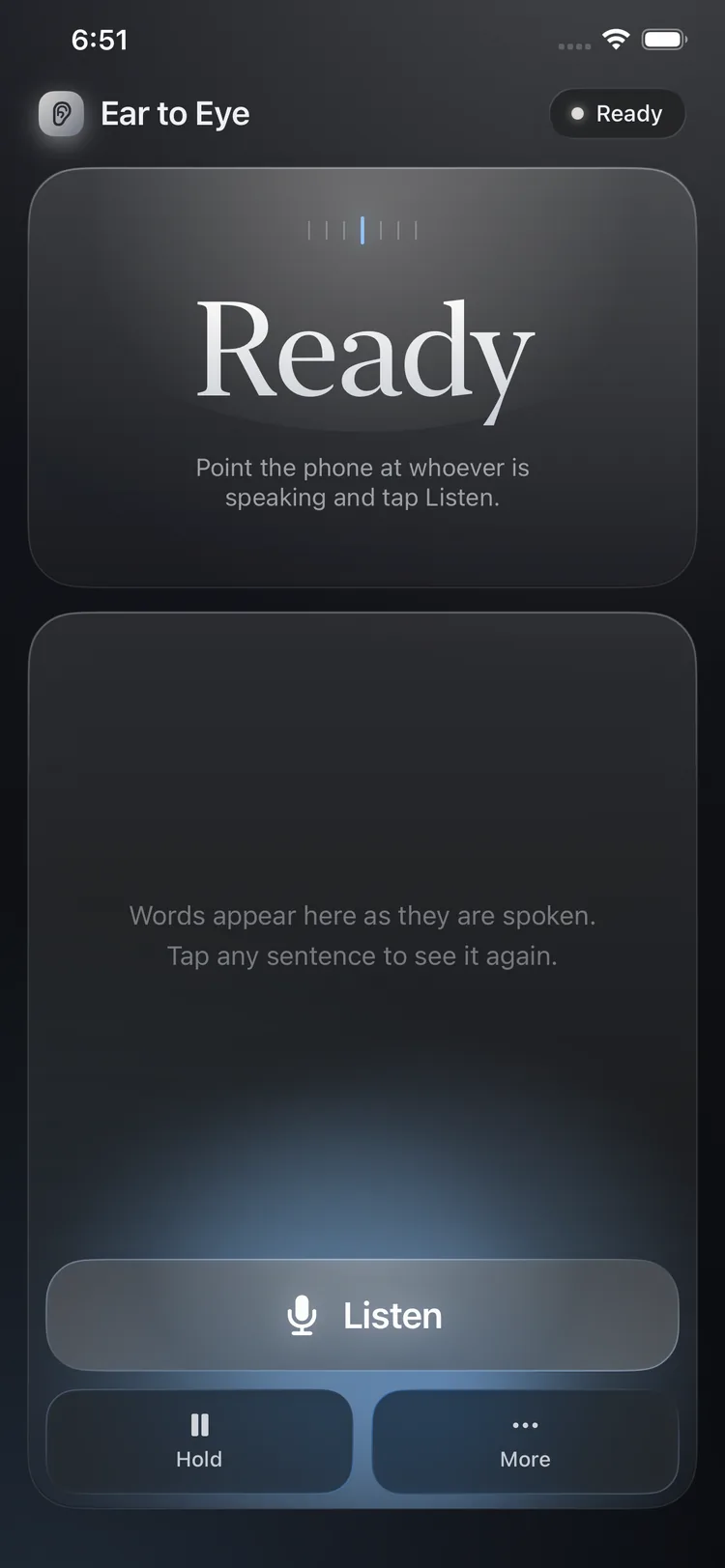
A conversation in the room, the TV, a call on speaker on a nearby device — anything within earshot. Tap Listen.
Read at one point
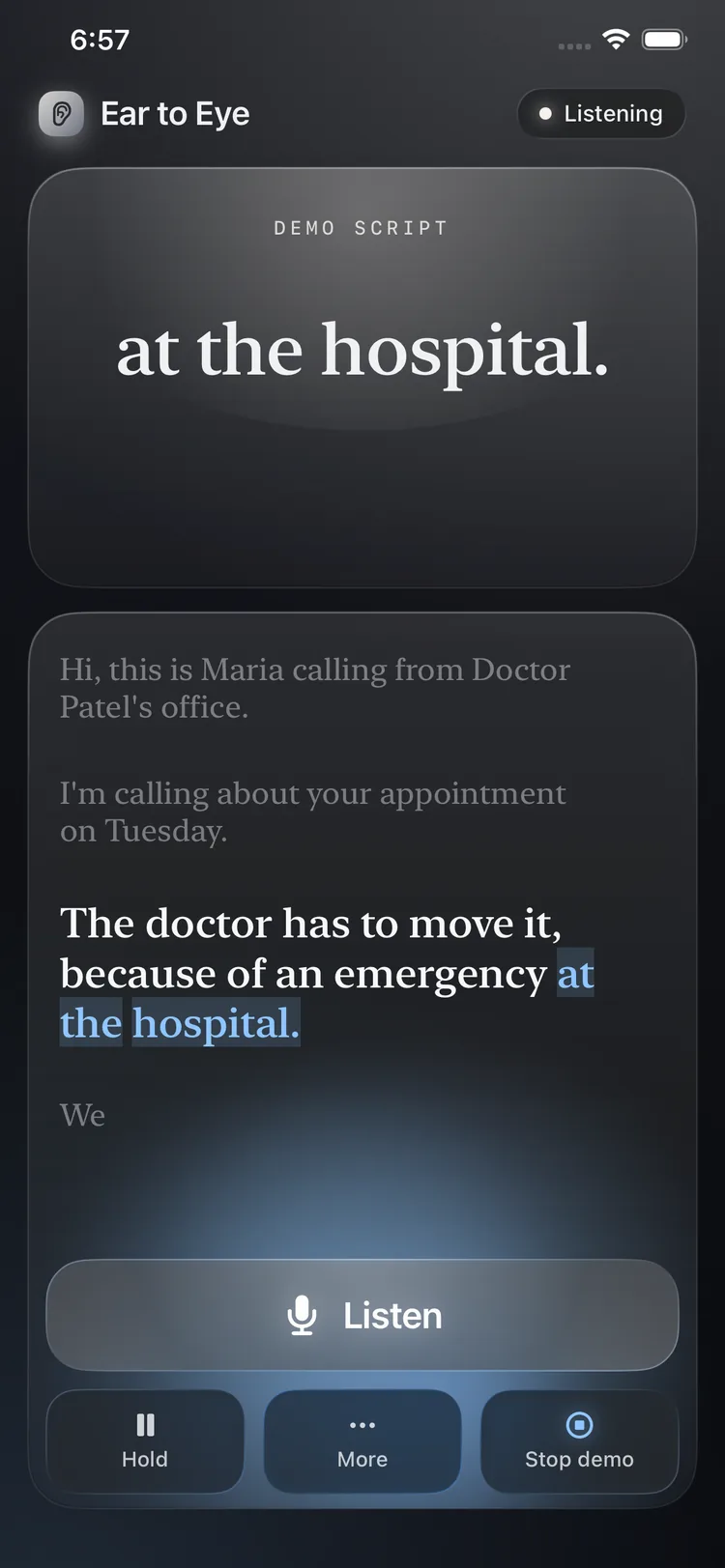
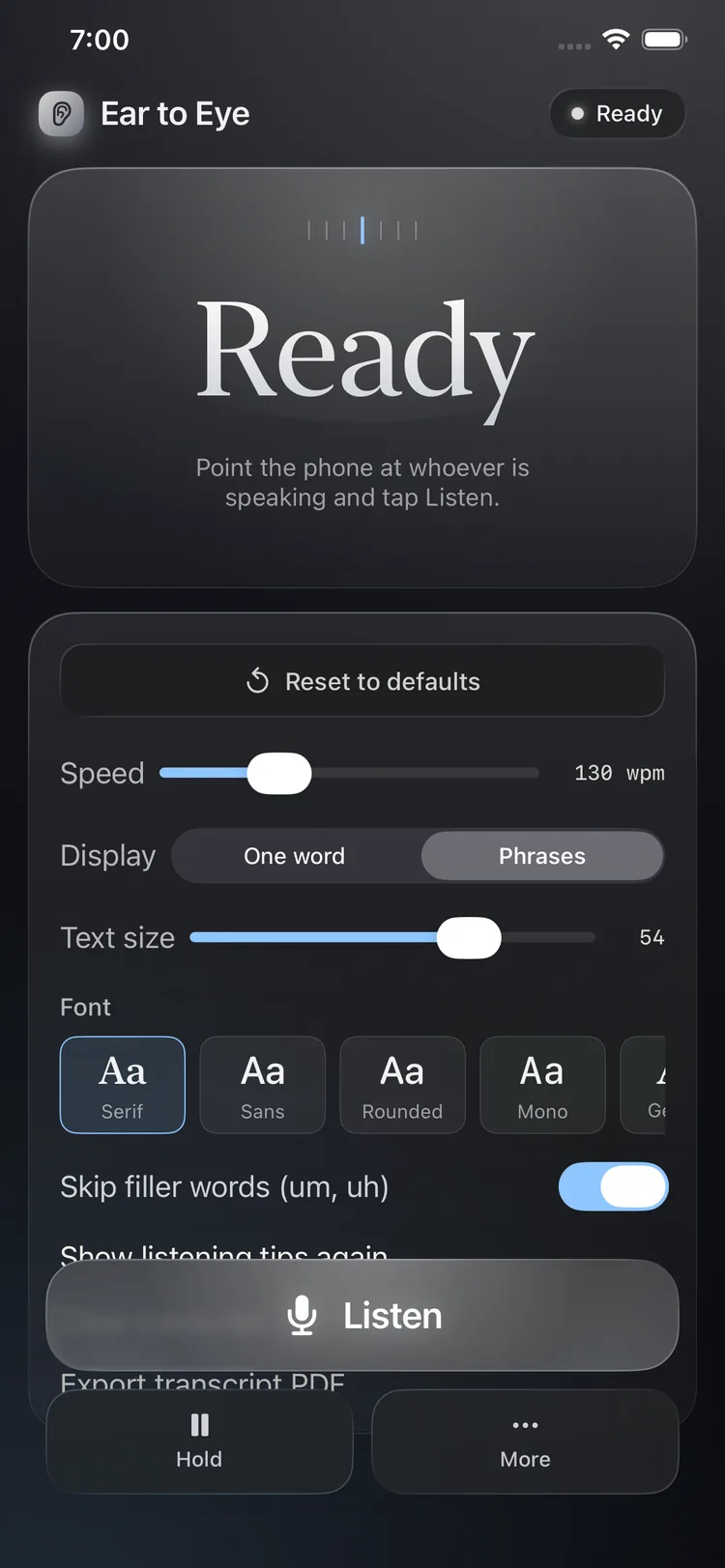
Words flash at a fixed focal point as they're spoken, with elastic pacing — the display catches up during the speaker's natural pauses.
Re-read anything
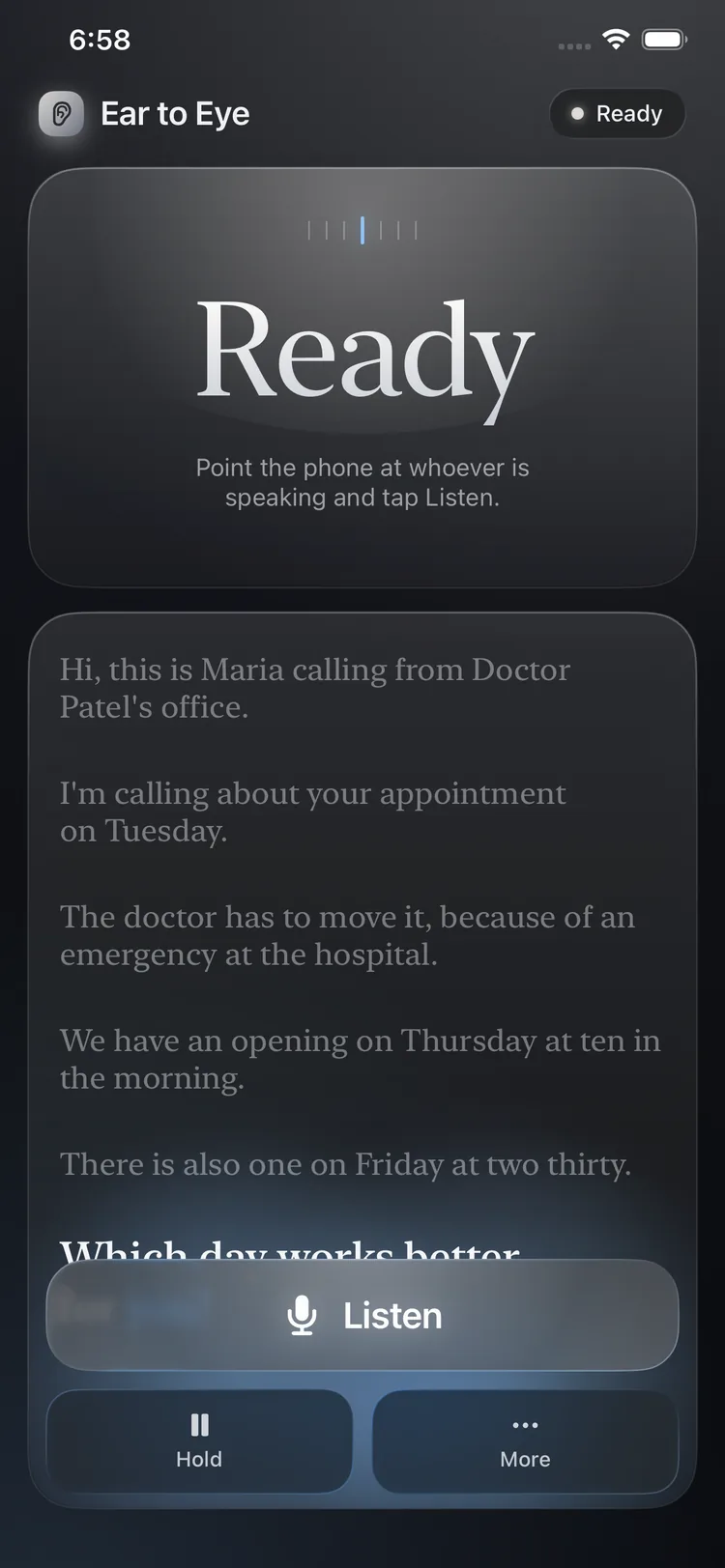
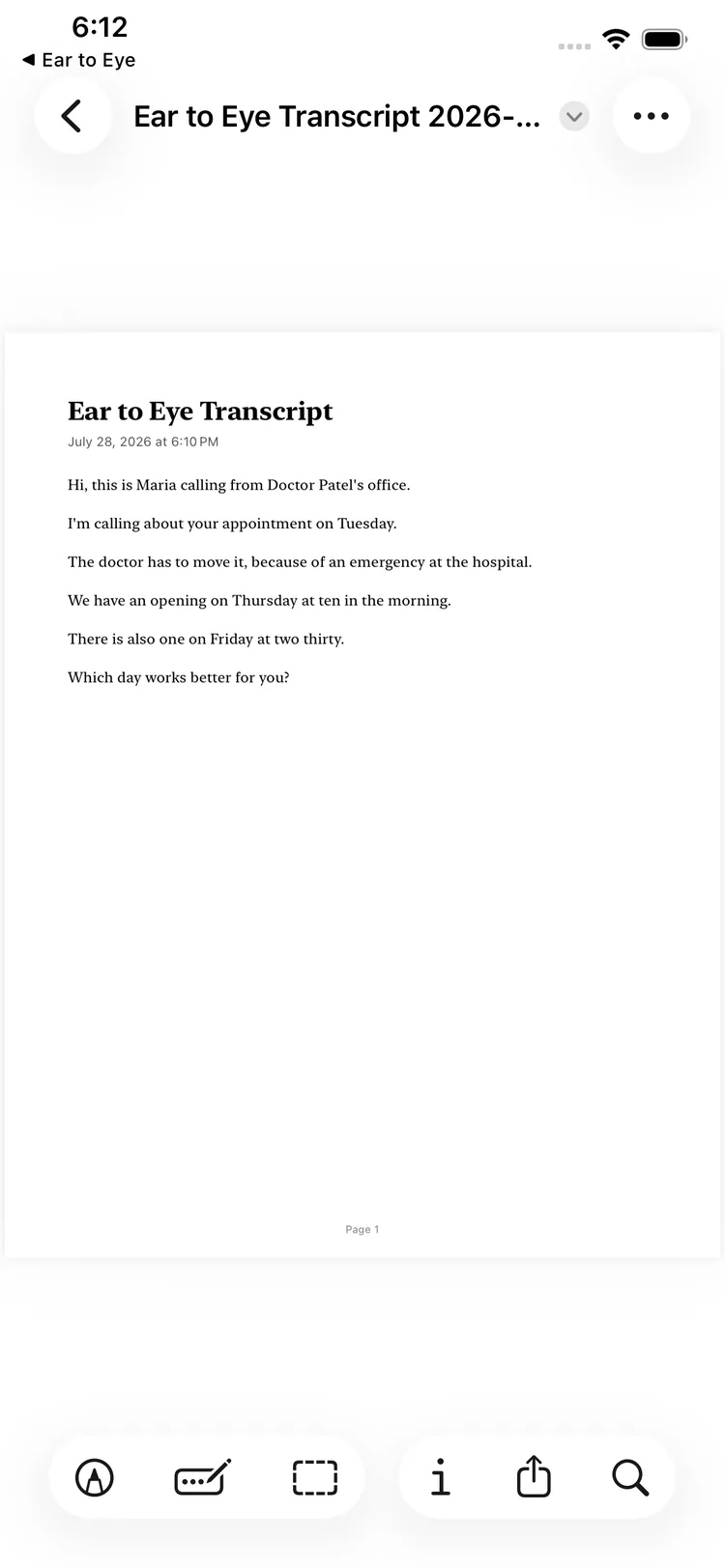
A full transcript accumulates below. Tap any sentence to replay it through the focus window, or export the whole thing as a PDF.
On your phone
What's in it
◉Fixed focal point
Spritz-style display with the optimal recognition point letter tinted and pinned in place. Zero tracking, zero scrolling.
〜Elastic pacing
Word duration scales with length, pauses land at clause ends, and the drain rate rises with backlog so the display recovers while the speaker breathes.
¶Words or phrases
Single-word or short phrase-chunk display is a per-user setting — because working memory load differs person to person.
↺Tap to replay
The transcript is the re-reading channel. Tap any sentence and it runs back through the focus window.
⇪PDF export
Save or share a whole conversation as a cleanly paragraphed PDF — doctor's instructions, family calls, anything worth keeping.
☏Call-aware
iOS doesn't let any app hear a call the same phone is on. Ear to Eye detects this and walks you through the two-device setup instead of failing silently.
Why flashing words, when speed reading flopped?
RSVP speed-reading failed because comprehension collapses at 500+ wpm without the backward glances that make up natural reading. Ear to Eye uses the same display for a different job: conversation is only ~130–200 wpm — comfortably inside RSVP's range — and the win isn't speed, it's removing the entire oculomotor workload of tracking scrolling captions. The transcript pane restores the re-reading channel RSVP removes, and words appear as they're spoken, so degraded audio and clean text arrive as one synchronized signal instead of two competing streams.
Honest print: Ear to Eye is a communication aid, not a medical device, and makes no clinical claims. Whether single-word display helps or burdens a given reader is an open question we're testing with real users — that's exactly why presentation granularity is a setting, not a design decree.
If you caption a real call via the two-device setup, treat it like recording: some US states require every party's consent.
Get it
Ear to Eye is on the App Store now — one app for iPhone, iPad (iOS 17 or later), and Mac (Apple silicon).

If you or someone you care for lives with aphasia or an auditory processing disorder, tell us how it works for you — feedback from real use is the whole point.